
How to Launch a WordPress Site on Hostinger
In Exactly 10 Minutes
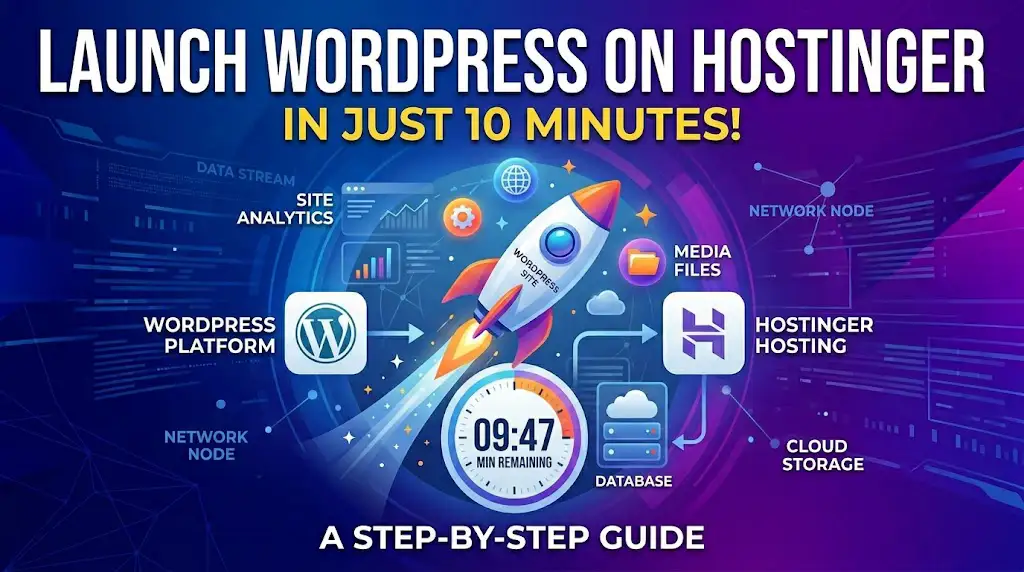
Time is your most valuable asset. This guide bypasses the technical jargon and focuses on a high-speed workflow to get your professional site live and ranking.
Instant Setup
Automated server provisioning and script deployment.
Auto-Security
SSL and DDoS protection activated by default.
NVMe Speed
Industry-leading storage for sub-second load times.
Minute 0-2: Selecting Your Launch Plan
The foundation of your 10-minute launch is choosing a plan that eliminates manual work. Hostinger’s Business WordPress plans are pre-configured with the “Quick-Start” engine. This means that as soon as you complete your purchase, the server environment is already being tuned for WordPress performance.
- ✔ Select the 48-month term for the maximum ROI.
- ✔ Use Social Login (Google/FB) to save 2 minutes on forms.
- ✔ Verify that NVMe storage is active for your chosen region.
Minute 3-4: Instant Domain Claim & SSL Activation
Once the plan is secured, Hostinger’s 2026 onboarding flow prompts you to claim your Free Domain Name. This is a critical junction where speed meets SEO. By choosing your domain within the Hostinger ecosystem, the system automatically handles the DNS mapping, eliminating the need to wait for propagation.
Pro Tip: To get this domain and the associated SSL for $0, ensure you’ve activated your Hostinger Coupon during the previous step. This ensures all “add-on” costs are waived.
Zero-Touch DNS
Hostinger points your domain to your new IP address the moment you click “Claim”.
Auto-SSL Queue
The system automatically queues an SSL certificate for installation immediately after domain verification.
Minute 5-6: One-Click WordPress Deployment
With your domain ready, it’s time for the core engine. Hostinger’s Auto-Installer is optimized for 2026 to skip the manual database creation and configuration. By simply entering your site title and administrator password, the system deploys the latest version of WordPress, pre-configured with essential performance tweaks unique to Hostinger’s infrastructure.
⚙️ Automated Configuration Includes:
- ✔ MySQL Database Creation
- ✔ PHP 8.3+ Optimization
- ✔ wp-config Security Salts
- ✔ LiteSpeed Module Activation
During this 2-minute window, Hostinger also applies its Object Cache technology (available on Business plans). This reduces the server’s response time significantly, ensuring that your fresh WordPress installation scores a 90+ on PageSpeed Insights from the very first second it goes live.
Minute 7: Force-Enabling SSL & Security Shields
Security is not an afterthought in 2026; it’s a launch requirement. During this minute, Hostinger’s automated script completes the SSL Certificate installation. This not only protects user data but also provides the “HTTPS” padlocked icon that is vital for SEO ranking and user trust.
Active Defense Matrix:
While your SSL is deploying, Hostinger simultaneously activates three layers of server-side protection:
Blocks malicious bots
Filters traffic spikes
Cleans core files
By the end of this minute, your site is technically “Armored.” Hostinger’s proprietary Security Dashboard in the hPanel allows you to monitor these stats in real-time, giving you peace of mind that your 10-minute sprint is built on a rock-solid, secure foundation.
Minute 8: Activating LiteSpeed & Object Cache
To reach the finish line with a high-performance site, you need more than just a standard setup. Hostinger’s infrastructure is built on LiteSpeed Enterprise Web Servers. In this minute, we head to the hPanel’s WordPress dashboard to flip the switch on the “LiteSpeed Cache” and “Object Cache” (Memcached/Redis) features.
Optimization Power-Ups:
Image WebP Compression
Uptime Reliability Guarantee
Server Response Time (TTFB)
By utilizing the Hostinger Object Cache, your site stores frequently used data in the RAM rather than fetching it from the disk every time. This results in nearly instantaneous page loads, which is a major ranking factor for Google in 2026. This technical advantage is included in Business plans and above, providing enterprise-level speed for a fraction of the cost.
Minute 9: Instant Professional Email Creation
Nothing says “unprofessional” like using a generic Gmail address for a business website. In 2026, Hostinger’s Titan Email integration allows you to create your official mailbox (e.g., [email protected]) in seconds. This step is automated within the hPanel’s “Emails” section, ensuring your brand identity is consistent from the very first minute.
Email Setup Perks:
- ⭐ Free Domain-Based Email
- ⭐ Mobile App Sync (iOS/Android)
- ⭐ Built-in Anti-Spam Filters
- ⭐ 1-Click Outlook Integration
Hostinger simplifies the “MX Records” and “SPF” configuration in the background. You don’t need to touch any DNS settings; just pick your username, set a password, and you are ready to send and receive professional emails. This integration ensures that your communication infrastructure is as fast and reliable as your hosting server.
Minute 10: Data Shield & The Final Launch
You’ve reached the final 60 seconds! The last step to a successful 10-minute launch is ensuring your data is disaster-proof. Hostinger’s Automated Backup System is your ultimate insurance policy. In the hPanel, verify that your daily or weekly backups are toggled “ON” to ensure that every design change or content update is safely archived in a remote secure server.
Final Launch Checklist (Completed):
With your professional email ready, security shields up, and performance optimized, your WordPress site is now officially live on the 2026 web. You have successfully bypassed hours of manual labor by leveraging Hostinger’s integrated ecosystem.
Final Word: Always check your “Resource Usage” dashboard during the first 24 hours to ensure your traffic is being handled efficiently by the LiteSpeed servers.
Scale Smarter, Spend Less
Launching in 10 minutes is an achievement, but sustaining that growth requires smart financial planning. Hostinger’s 2026 infrastructure is built to scale with you, allowing you to upgrade resources without downtime. However, the biggest mistake beginners make is paying full price for high-tier performance.
Optimization Tip
Enable the Global CDN to reduce latency for international visitors—included free in Business plans.
Financial Hack
Always lock in 4-year cycles. This protects you against the rising inflation of hosting costs in 2026.
Ready to secure your spot on the web? Don’t forget to apply our exclusive
Hostinger Coupon
at checkout for an additional discount on top of the seasonal 2026 offers.
Step 9: Post-Launch Performance Audit
After the 10-minute sprint, it’s time to verify your results. In 2026, Google’s algorithms prioritize “Real User Metrics.” Use the PageSpeed Insights tool to test your new URL. Thanks to Hostinger’s NVMe storage and LiteSpeed integration, you should see mobile scores exceeding 90.
Action: If your score is lower than expected, check the “Image Optimization” tab in hPanel to ensure lazy loading is active.
Step 10: SEO Foundation & Search Indexing
The final step is telling the world you exist. Navigate to the WordPress settings and ensure “Discourage search engines” is unchecked. Hostinger’s SEO toolkit provides an automated sitemap generator—submit this URL to Google Search Console immediately to kickstart your indexing process.
By completing these 10 steps, you haven’t just launched a website; you’ve deployed a high-performance digital asset ready to compete in the 2026 market.